Step 1 — Unbox and inspect
New to the format? The hookah vape pen explainer covers what the hardware is before you set it up. Open the device packaging and check three things before touching the mouthpiece: (1) device serial + scratch-code — every authentic Olit Hookalit ships with a scratch-off authentication code; you'll use it for the warranty check at /product-authentication/; (2) no juice on the outer shell — a small amount of condensation around the mouthpiece is normal, but visible juice on the device body indicates a seal issue and is a warranty case; (3) USB-C port visible and unobstructed — the port lives at the bottom of the device on all three Olit Hookalit shapes.
Shop the Olit Hookalit lineup — pick your device
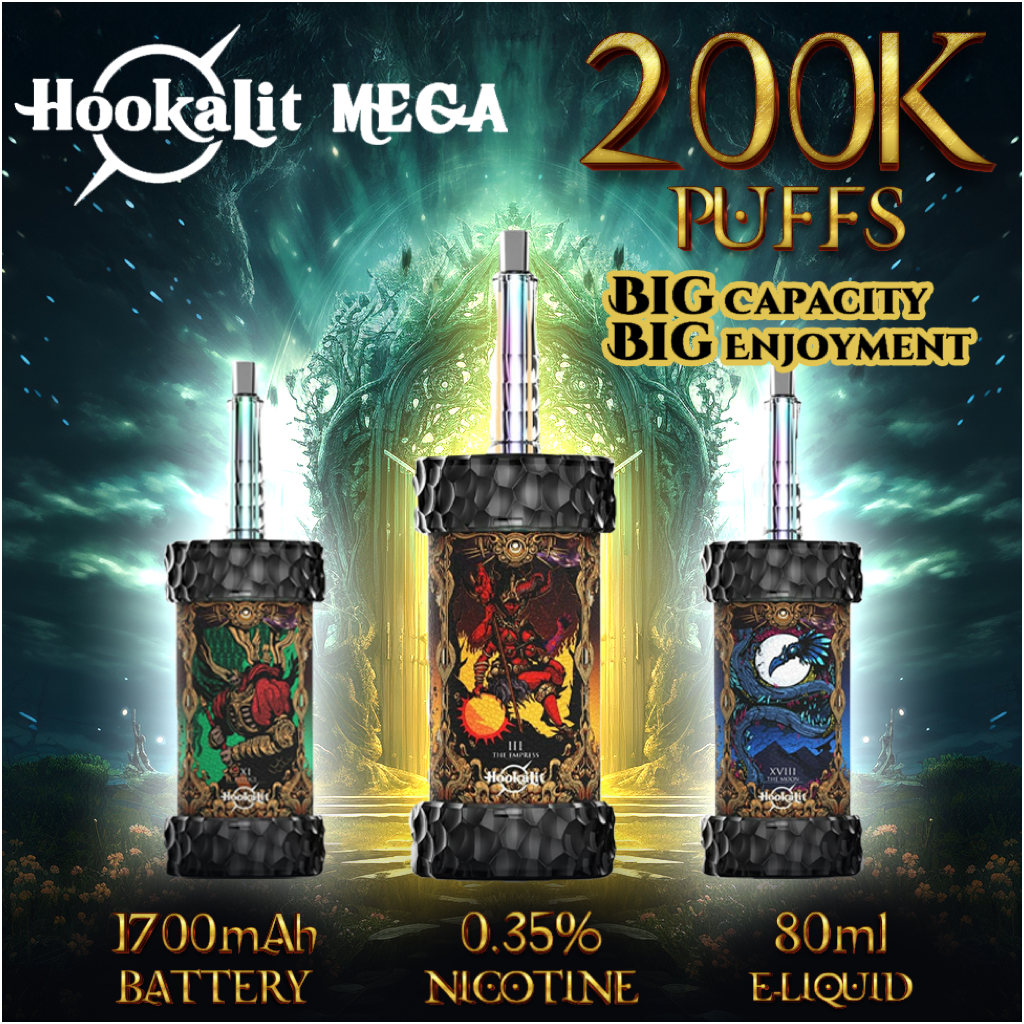
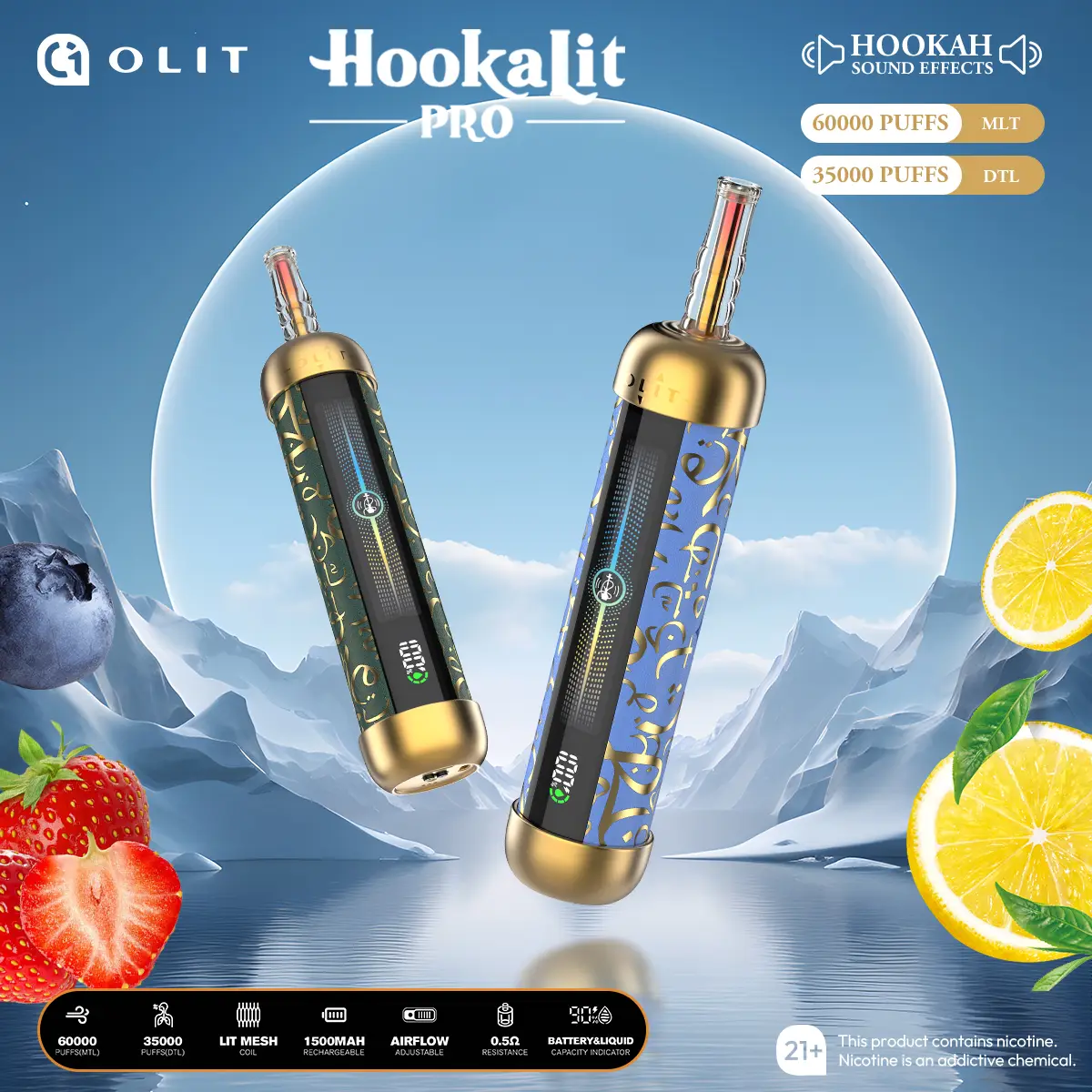
Three devices, one hookah-traditional flavor system — Mega 200K mounts on a shisha base for full sessions, Pro 60K is the pocket workhorse, 40K Tarot is the no-base entry. Pick your flavor on each product page.
Step 2 — Charge before first session
Plug the device into any USB-C source. The LED indicator turns on within ~2 seconds. The first charge from out-of-box state takes ~2.5 hours on the Mega 200K (1700 mAh battery), ~90 minutes on the Pro 60K, ~60 minutes on the 40K Tarot. Don't take more than a quick test pull before the first full charge — the cells calibrate their state-of-charge meter on the first full charge, and starting the device at a partial state-of-charge can leave the battery gauge slightly off for the first 2–3 cycles.
Source: any phone wall brick, laptop USB-C port, car charger, or 10,000+ mAh power bank works. No proprietary cable required — standard USB-C-to-USB-C or USB-C-to-USB-A both work.
Step 3 — Set the draw: MTL/DTL switch or airflow dial
The Mega 200K has an adjustable airflow valve at the bottom of the device. Two settings:
- Narrow (close the valve down ~70%) — tighter MTL-leaning draw, similar in feel to a pocket disposable. Best when you're using the Mega 200K standalone without a base.
- Open (valve at ~100% open) — deep DTL hookah-session draw. Best when mounted on a shisha base where the water-filtration step softens the draw further.
The Pro 60K, 40K Tarot and Plus 100K use a bottom airflow control that switches the draw between MTL (mouth-to-lung) and DTL (direct-to-lung) instead of a continuous valve — per the manufacturer listing, not a fixed draw. Start on MTL for the first session, move to DTL once you know the flavor; the Mega 200K is still the only device whose airflow dial doubles as a base-mount valve.
If you are not sure which setting to pick, the DTL hookah vape guide explains direct-to-lung vs mouth-to-lung draw.
Step 4 — First puff — go slow
On the first puff after the first full charge, draw gently for ~3 seconds, hold for 1 second, exhale slowly. Don't try to produce a giant cloud on the first puff — the coil is dry-priming the wick during the first 5–10 puffs, and aggressive pulls during this phase can cause uneven juice flow into the mesh.
For the Mega 200K specifically, the first 10 puffs are calibration: the coil temperature stabilizes, the airflow valve seals, and the LED display state-of-charge meter cross-checks against the actual battery. After ~10 puffs the device's flavor and vapor characteristics are at full performance.
Step 5 — Pace your session (especially Mega 200K)
The Olit Hookalit Mega 200K is calibrated for hookah-session pacing — 1 puff every 30–60 seconds across a 30–90 minute session. Faster pacing causes two issues: (1) the coil temperature rises above the juice's flash point and produces a harsh dry-hit taste; (2) the LED display warms up and the RGB ring reads brighter than ambient lighting, which becomes visually distracting indoors.
If the device tastes muted or you sense reduced vapor density, slow down for ~60 seconds. The mesh wick re-saturates with juice, the coil cools, and the next puff returns to baseline. This is normal hookah-session pacing — the device was tuned for it, not against it.
Olit Hookalit Pro 60K and Olit Hookalit 40K Tarot pacing is closer to pocket-disposable use — short pulls a few times per session is fine. Even at the line's 0.35% nicotine, longer or back-to-back puffs deliver more than expected; pace yourself if you're new to the brand. Browse the full hookah pen flavors library for cross-device flavor staples.
Step 6 — Read the LED display + RGB ring
The Mega 200K LED display shows three live readings during use:
- Battery percentage — top-left of the panel, numeric 0–100%. Charge when it drops below ~20% to avoid the over-discharge protection (which kicks in at ~5% to protect the battery).
- Juice level — bottom-right, segmented bar 0–10 segments. When the bar shows 1 segment, ~10% of the prefilled juice remains. The device will keep firing past 1 segment, but the last 5% of juice tends to taste muted as the wick struggles to draw the final reserve.
- RGB ring — surrounds the mouthpiece. Default color cycles through warm tones; cycles speed up during active puff. Long-press the side button to mute the ring + sound for quiet-room use (the device still functions normally; only the lighting is off).
Pro 60K and 40K Tarot don't have an LED display or RGB ring. They use a single-color indicator LED that pulses during active puff and flashes when low.
Step 7 — Mount on shisha base (Mega 200K only)
This step is unique to the Mega 200K. To mount the device on a shisha base for the full session experience:
- Prepare the base. Fill the base with cold water to the standard fill line — ~1 inch above the down-stem opening. Cold water creates more vapor cooling than room-temperature water.
- Remove the existing charcoal-bowl head if there's one mounted on your base.
- Screw the Mega 200K into the threaded port at the top of the stem. Finger-tight. Do not over-torque — the threaded valve is brass and the base port is usually stainless or zinc; cross-threading is the most common first-time mistake. The fit should feel smooth across all turns.
- Open the airflow valve fully (Step 3 above) before drawing through the hose.
- Draw normally through the hose — the water-filtration step happens automatically; the device produces vapor that travels down the stem, through the water, and out the hose just like charcoal smoke would.
If the device doesn't screw into your base smoothly, the port is non-standard. Most US-sold mid-range and premium hookah bases have the standard hookah-head port thread, but novelty or decorative bases sometimes don't. We can't warranty cross-threading damage on the device — confirm port compatibility before forcing the fit.
New to the idea of a battery head on a shisha base? The hookah head explainer compares it with a charcoal bowl.
Eight common mistakes to avoid
Mistakes we see most often from first-time customers, ranked by frequency:
- Pulling too hard on the first puff. The mesh isn't primed yet. Go gentle for the first 5 puffs.
- Skipping the first full charge. Throws off the battery gauge for 2–3 cycles. Always charge to 100% before first use.
- Mounting Mega 200K on a non-standard hookah base. Cross-threading damages the brass valve. Check port fit before screwing in.
- Leaving the device in a hot car. Above ~100°F sustained, the juice can expand and seep through the airflow channel.
- Leaving the device in a freezing car. Below ~32°F sustained, the juice viscosity changes and the wick may not draw on the next session.
- Using a non-USB-C cable adapter. Cheap micro-USB-to-USB-C adapters trickle-charge at very low amperage and can keep the device at a partial charge indefinitely. Use a real USB-C source.
- Storing on its side. Always store upright. Side-storage can cause juice to migrate to the airflow channel.
- Ignoring the warranty scratch-code. The authentication code on the box is the proof of purchase for any quality-issue claim. Save the box until you've finished the device or until 30 days post-purchase, whichever comes first.
Customers searching for Hookalit Pro near me route to the same West Sacramento warehouse — no third-party retail to verify usage tips against. Three of the eight mistakes above are storage and transport problems rather than usage problems, which is why they cluster around devices that travel; the carry-and-store rules for a pocket hookah are worth reading before a trip rather than after one.
Hookalit Pro instructions — the pen-format quick start
Searches for Hookalit Pro instructions land here because the Pro 60K follows the same seven steps with two of them skipped. As a standalone hookah pen it has no shisha-base mount, so Step 7 does not apply; it charges over USB-C like the rest of the line (Step 2, roughly 90 minutes from empty), is draw-activated for the first puff (Step 4), and runs the same session pacing rules (Step 5). The Pro-specific points: keep it upright between sessions so the 16-flavor prefilled reservoir does not seep into the airflow channel, recharge as soon as the indicator signals low battery rather than running it flat, and read the device as end-of-life when the juice is gone even if the battery still charges. For the full spec sheet and flavor list see the Olit Hookalit Pro 60K product page.
How to Use — FAQ
How do I use an e-hookah for the first time?
Unbox, pull the seal sticker off the mouthpiece, and draw — all Olit Hookalit devices are draw-activated with no buttons to learn. On the Mega 200K, check the LED shows battery and juice levels; adjust the airflow valve tighter for an MTL pull or open for a deep DTL session draw.
How do I mount the Mega 200K on my shisha base?
Screw the threaded draw-control valve onto the base's head port finger-tight — same motion as a charcoal-bowl head, no tools. Draw through the hose as normal; the airflow valve controls resistance independently of stem length.
What's the right draw technique — MTL or DTL?
MTL (mouth-to-lung): draw into the mouth, then inhale — tighter, more flavor-dense, closer to a cigarette pull. DTL (direct-to-lung): one deep inhale — bigger clouds, closer to a hookah hose. The Mega 200K's adjustable valve supports both; pocket devices lean MTL-to-hybrid.
How do I turn off the sound effects?
The Mega 200K's shisha sound effects and RGB light cycle are muteable through the device's hidden button cycle — press through the modes until you reach silent/dimmed. Settings persist between sessions.
Why does my device taste burnt?
If it's new: take slower, shorter first draws — chain-puffing before the wick saturates scorches it. If it's old: a persistent burnt edge with weak vapor means the juice is nearly done and the device is at end-of-life. Charging doesn't fix a dry reservoir.
Where are the Hookalit Pro instructions?
On this page. The Pro 60K uses the same steps minus the Mega-only ones: unbox and inspect, charge over USB-C (about 90 minutes from empty), draw-activated first puff, then pace the session. It has no shisha-base mount, so the mounting step does not apply. Full specs and the 16-flavor menu are on the Pro 60K product page.